Tell it the camp you want to run. Review what it prepares.

AI Coach lives inside your Elite Coach Booking app and works from your real account. Say what you want in plain words, and it prepares the change on a review card. You read it, change it, or leave it. Nothing is saved until you confirm.

A pickleball coach who wants a three-day kitchen bootcamp and is bad at naming things

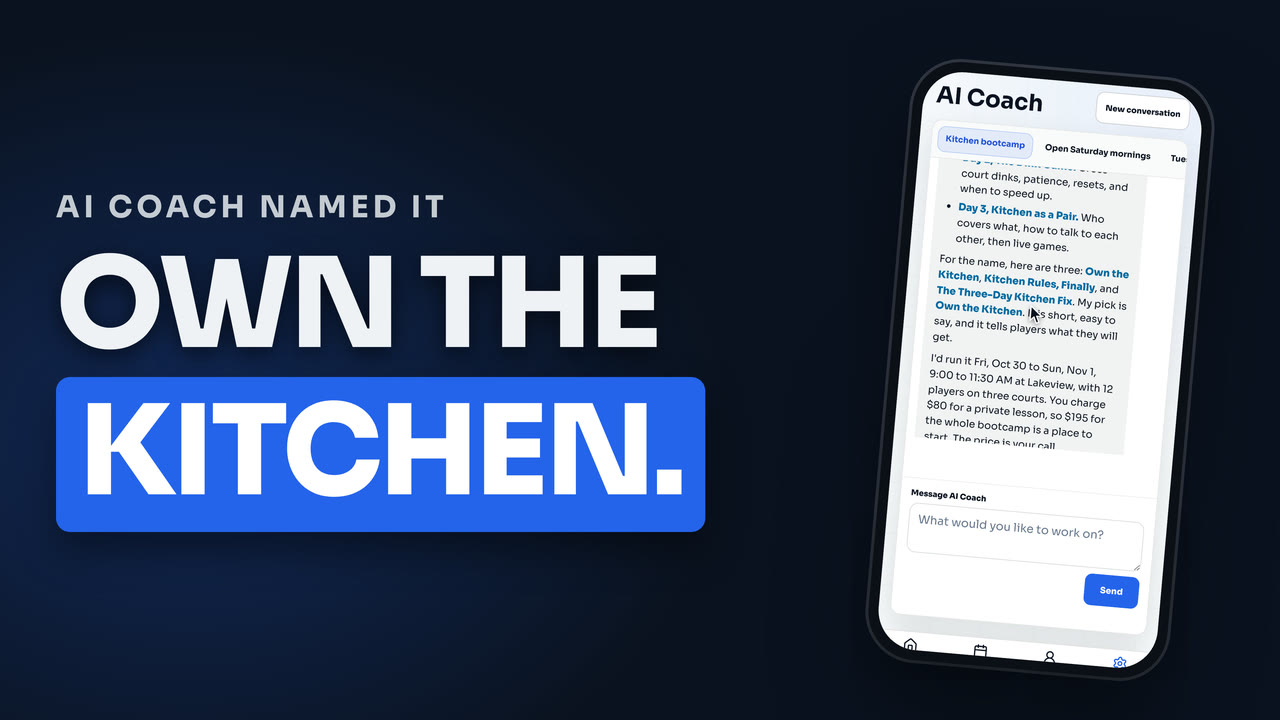
The coach says many players do not understand doubles kitchen play, wants to run a three-day bootcamp, and admits writing and naming are not their strength. AI Coach proposes a theme for each day, offers three names and picks one with a reason, then adds a court, a cap, and a price to start from that the coach can change. It asks whether to publish now or keep a draft, prepares the bootcamp for review, and offers to write the sales page.

  • The name, the three dates, the court, the seats, and the price appear on one review card.
  • The sales page is drafted as a second review card, so every word is read before it goes public.
  • A player reads the page and opens the booking, and one checkout covers all three days.
app.elitecoachbooking.com · AI Coach
Coach app

Create the camp

A review card lists exactly what will change. Nothing saves until you confirm.

Camp Own the Kitchen Three days, one registration
Status Waiting for you Review card, nothing saved yet
Next step Write the sales page Drafted for your review
AI Coach

A three-day bootcamp could work. My pick for the name is Own the Kitchen. Do you want it live for registration now, or saved as a draft first?

Updated

Most coaches know what they want to run. The work is turning the idea into a program: the days, the price, the court, the seats, and then a page that makes a parent or a player want to register. That is a lot of forms for a Saturday camp.

AI Coach is the assistant inside your coach app for that work. You say it in plain words. It reads your account, asks the one question it cannot answer for you, and prepares the change on a card you can read in a minute.

What it does with a camp

A pickleball coach says they want a three-day kitchen bootcamp, and that naming and writing are not their strength. AI Coach comes back with an idea: a theme for each day, a few names with a pick and the reason for it, a court, a cap on players, and a price to start from. The name and the price are the coach’s call.

Then it asks whether the camp should go live for registration now or stay a draft. It asks because the answer changes what happens next, and it is not its decision.

The camp is prepared as a review card: the name, the three dates, the times, the court, the seats, the price for the whole camp, and whether clients can see and book it. You confirm it, and the camp exists.

The sales page is the next step

A new camp has no sales page. AI Coach notices that and offers to write it. It drafts the headline, who the camp is for, what players get, a focus area for each day, and what to bring, then stages the copy on a second review card. You read every word before it goes public.

When you save it, the camp has its own page on your coaching site, with the dates, the court, the seats, and the price. A player opens it and taps register. In the guided booking style, the booking walks them through one step at a time, and one checkout covers all three days.

You review every change

AI Coach prepares changes. It does not make them. Every card ends with the same choice: confirm it, ask for a change, or keep things as they were. If you ask for a change, the card is replaced, and nothing has been saved in the meantime.

That is also why it is safe to try. The first thing you ask for does not have to be the right thing.

What it will not do

It will not find players. A camp that is ready to sell still needs someone to tell people about it, and that part is yours: send the link to your list, post it, tell the parents at the court.

It will not set up your payments or connect your calendar from inside the chat. Those handoffs open the secure screen for the job, and AI Coach stays out of your credentials.

What gets easier

  • A camp goes from a sentence to a bookable page in one sitting.
  • Prices and hours can be changed by asking, then checking the card.
  • The sales page starts as a draft instead of a blank box.
  • Your account stays yours: nothing changes without your confirmation.

Where it fits

AI Coach sits on top of the same programs, pricing, and website tools you can use by hand. Read how programs, clinics, and camps work, or how the AI front desk covers client questions while you teach.
Say it, review it, confirm it.

01

Say what you want

Type it the way you would text a helper. Change my private lesson to $90. Plan my weekly hours. Help me set up a clinic. Sharpen my website.

02

It checks your account

AI Coach reads your live offers, places, hours, and website before it answers, so it works from what is true today, not from a template.

03

It asks only what it needs

When a choice is yours, it asks. For a new program that includes whether to publish it now or keep it as a draft. It does not guess that for you.

04

Review the card

Every change shows up on a plain-language card listing what will change. Want a tweak? Ask for it and the card is replaced. Nothing saves until you confirm.

05

Take the next step

When the camp exists, AI Coach points out that its sales page is not written yet and offers to draft it. That page is another review card.

A blank page stops being the hard part

You bring the idea. AI Coach brings a first version of the camp and the page, and you edit what you would say differently.

You stay the decision maker

It can read your account and prepare an existing action. It cannot confirm for you. Every business-data change waits for your approval.

The finished camp is bookable

A confirmed camp is a real program with its own page and booking, so the idea you typed becomes something a player can register for.

Watch AI Coach name a bootcamp, write its sales page, and open the booking

A pickleball coach who is bad at naming and writing tells AI Coach they want a three-day kitchen bootcamp. It plans the days, offers names and picks one, asks whether to publish or keep a draft, prepares the program for review, drafts the sales page, and a player books all three days in one checkout.

Watch AI Coach name a bootcamp, write its sales page, and open the booking
3 min 14 s, captions on.
Read the transcript

I'm a pickleball coach, and I'm terrible at writing and naming things. So I asked AI Coach to name my next bootcamp, write the sales page, and make it bookable. I'll show you the name it picked and why. Here's my problem. A lot of my players don't understand the kitchen in doubles. They argue about the line, they get stuck dinking, and they can't tell who covers what. So I want to run a three-day kitchen bootcamp. I tell AI Coach in plain words, and I admit I'm bad at writing and naming things. I press Send and it checks my live account first so it uses my real courts and my real prices. It comes back with a plan. Day one is the kitchen rules, day two is the dink game, and day three is playing the kitchen as a pair. Then it does the part I'm worst at and names the bootcamp. It gives me three names and it picks one. Own the Kitchen. It even says why. It's short, it's easy to say and it tells players what they get. I could not have written that. It priced the bootcamp off my $80 private lesson. That's a starting point and the price is mine to change. And here's the question it stopped on. Do I want this live for registration now or saved as a draft first? It won't guess that for me. I love the name and I want it live. Friday to Sunday works. Now watch what it does before it touches my account. It prepares the bootcamp, but nothing is saved yet. The review card lists every decision, the name, three dates, the court, twelve players, and the price for the whole bootcamp. It looks right, so I press Create program. And now it points out what's missing. The bootcamp is live, but the sales page, the page players read before they register, hasn't been written yet. Just one tap and the page gets written. Let me show you. I tap Write the sales page and it drafts the whole thing from what I told it. And here's the writing I'm bad at. A headline, who it's for, what players get each day and what to bring. It's all on a review card again. I read every word and nothing goes public until I confirm. To change a word, I just tell it and it replaces the card. That reads right so I press Save page changes. So the bootcamp has a name and a page. Now the real test. what does a player see and can they actually book it? Let's find out. This is the sales page AI Coach wrote live on the coach's own site. The headline and subheadline sit right at the top. Every date is on it with each day's focus, the court, and the price. so a player knows exactly what they're signing up for. Below that, who it's for, what players get, and a focus area for each day. A player taps Register and the new guided booking opens one step at a time. bootcamp is already picked and the player always sees where they are in the booking. Their selection sits on the side with the coach, the court, and the price. Then they add their details. One checkout covers all three days, $195 for the whole bootcamp. They continue to secure checkout and pay. Their seat is reserved, with every day ready for their calendar. A name, a bootcamp, a sales page, and a booking page, from a coach who can't name things. AI Coach did the naming and the writing, and I reviewed every step. It can't find you players, so send the link to yours. Drop a comment with the kitchen question your players ask most.

How programs, clinics, and camps work

Who it is for

Coaches who already have an Elite Coach Booking account and want help setting up prices, hours, programs, or website copy without filling in every form from scratch.

Who it is not for

Coaches looking for a tool that finds players. AI Coach prepares the camp, the page, and the booking. It does not create demand.

Common questions

Does AI Coach change my account on its own?

No. It prepares a change and shows it on a review card. The change is saved only when you press the confirm button. Choose Keep as is and everything stays as it was.

Can it connect my Stripe account or my Google Calendar?

It points you to the right place. Stripe, Google, text registration, domains, plan changes, and photo uploads stay guided handoffs with their own secure screens. AI Coach does not take your credentials, codes, or payment details in chat.

Where does the price come from?

AI Coach offers a price as a place to start. It is a suggestion, shown on the review card, and you can change it before you confirm or ask for a different one.

Is AI Coach the same as the AI front desk?

No. AI Coach works for you, inside your coach app. The AI front desk is a different feature that helps your clients with booking questions.

Does it cost extra?

AI Coach has no standalone price and is not sold as a separate add-on. It comes with the plans that include it, so check what your plan covers.

Bring the messy coaching rules.

Elite Coach Booking turns those rules into a booking flow clients can use and a coach app you can run from.